

What are the usage tips for warehouse management ERP systems? Materials stored in warehouses occupy a large amount of enterprise capital, so enterprises often attach great importance to warehouse management during operations. However, warehouse management still faces some problems. Using ERP management systems to improve the current state of enterprise warehouse management is especially important, yet many people are still unfamiliar with ERP systems. Below is a brief introduction.

Traditionalinventory management and warehouse management ERP system differences:
1. Traditionalinventory management
Traditional enterprises encounter many problems in operations. When customers place orders, they do not know inventory information clearly, and enterprises often discover insufficient stock only after orders are placed. The placement of goods in warehouses is chaotic, each order takes a lot of time, goods are frequently out of stock, and there is excessive inventory backlog in the warehouse.
2.ERP warehouse management system
It uses software to record inventory information, synchronously update inventory quantity and amount, clearly display shipment information, and automatically generate inventory reports. During warehousing, storage locations are strictly managed; during shipment, goods are picked according to location. Depending on actual conditions, methods such as picking by order, consolidated picking, or a combination of both are used to improve efficiency. Upper and lower inventory limit alarms are also managed, and the system will alert you when stock of a certain product falls below or rises above a preset quantity, ensuring supply without excessive stock accumulation.
Warehouse management ERP system usage tips:
1. Enter data into the ERP management system in a timely manner
Warehouse management involves tens of thousands of materials and thousands of suppliers. If data are not entered into the ERP management system in time, data disconnects and reduced accuracy will occur, which in turn will affect enterprise production planning and directly show up as product backlogs and overselling out-of-stock items, resulting in real financial losses for the enterprise.
To strengthen warehouse management, enterprises must formulate rules to standardize employee behavior, requiring employees to enter data promptly and accurately. Outbound goods should follow the first-in, first-out principle to reduce losses caused by product expiration. In addition, handovers between new and existing employees need to be taken into account, and handover procedures should be strictly required to avoid unclear material status caused by incomplete handovers. Only when ERP management system data are real-time and accurate can the system truly play its maximum role.
2. Use the ERP management system to reasonably plan the warehouse
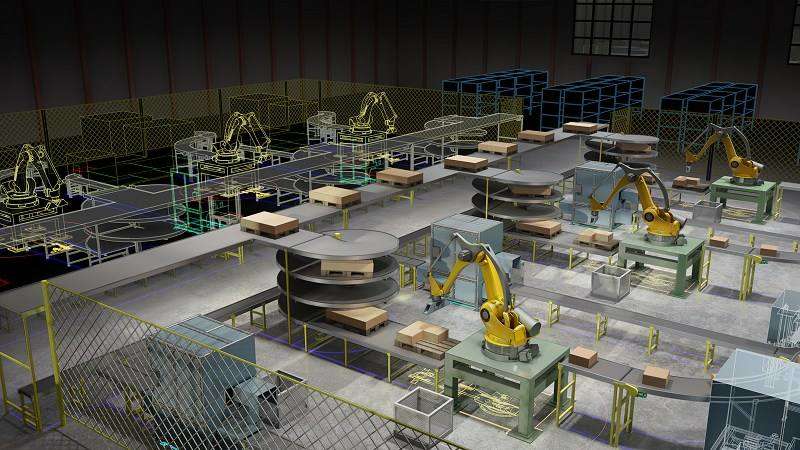
The product management function in the ERP management system can record the storage location information of goods. When arranging shelves, the status of goods and transportation routes should be fully considered, and areas such as defective goods storage, temporary material storage, and shipping zones should be planned. Planned shipping routes should minimize detours in product transportation as much as possible so as to shorten picking time and improve shipping efficiency. After warehouse planning is completed, storage locations should be coded and entered into the ERP management system, and warehousing should be carried out strictly according to location identifiers. This helps picking personnel quickly find goods in later picking operations, and new employees can also get up to speed quickly.
3. Properly set product warning inventory
There is also a particularly convenient function in the ERP management system for warehouse personnel to submit purchase applications, namely the setting of warning inventory. When the inventory quantity of a product reaches the warning value, the system will automatically issue an alert and automatically generate a purchase order based on the preset purchase quantity. Warehouse personnel only need to submit it directly, effectively avoiding out-of-stock overselling and improving warehouse management efficiency.
The above is an introduction to usage tips for warehouse management ERP systems. Since enterprises have already launched ERP management systems, they should make good use of them. It is believed that the system can transform rough warehouse management into standardized and refined management, save warehouse management costs, and enhance enterprise core competitiveness.
Call Soonfor
Sales: 400-1166-002
After-sales: 0769-22364912 Ext. 200

Back to Top
|
Free Consultation
|
Online Support
|
Submit Request |