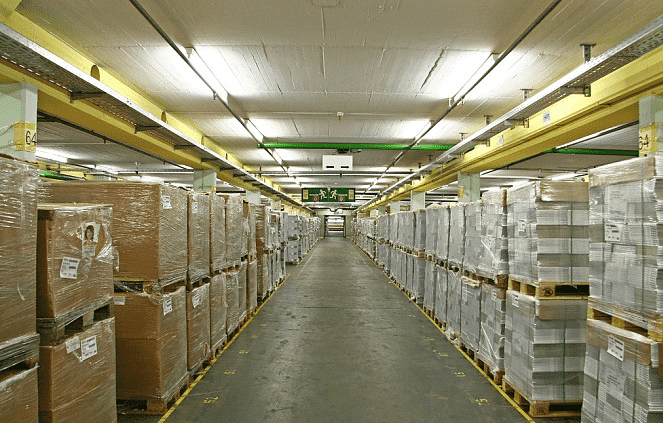
What Problems Exist in Warehouse Management? What Warehouse ERP System Solutions Are Available? Warehouse management refers to the effective control of activities such as the receipt, issue, and balance of stored goods. Its purpose is to ensure the integrity of warehouse goods and guarantee the normal operation of various enterprise production and business activities. Common warehouse management problems: 1. Materials are not classified and managed. 2. Accounts do not match the physical goods, management is chaotic, and goods are often hard to find, resulting in missed or wrong deliveries. 3. Failure to follow the first-in, first-out principle causes waste.
Warehouse ERP management system solutions: 1. Maintenance of material data 1) Divide material categories Many enterprises need to analyze procurement data for different categories of materials, so materials need to be categorized in the system, for example by low-value consumables, office supplies, and so on. After categorization, the warehouse ERP management system can search by category. If an enterprise needs to view the stock-in and stock-out status of a certain category over the past month, this function becomes very useful. 2) Create basic material data Each material record consists of company data, sales data, purchasing data, inventory data, cost data, and so on. Proper maintenance of each data record affects subsequent receipt, issue, and inventory management. The warehouse ERP management system has an integrated maintenance function. This can be maintained together when creating material data from the start. To create any material, you only need to enable integrated maintenance to complete it in one go, without separate operations. 3) Warehouse ERP management system coding principles Number materials by category, then write the material name, code, and other information into a QR code and manage it with a scanner. This makes searching more convenient and allows inventory status to be known immediately. In addition, safety stock alerts can reduce the risk of production stoppages caused by material shortages. 2. Inventory status in the warehouse ERP management system The same material stored in a warehouse may have multiple statuses because of quality differences, such as available, pending disposition, or scrap. At this point, inventory status can be used to distinguish them. The same inventory status can also be set according to different inventory attributes. The warehouse ERP management system presets five inventory statuses for users. 1) Company-owned inventory; 2) VMI inventory; 3) Customer-supplied inventory; 4) Consignment inventory; 5) Outsourced consignment inventory; 3. Stock-in and stock-out management All stock-in and stock-out information for materials is directly recorded in stock movement records, including purchase receipts and material issues. Through the confirmation functions for inbound and outbound transactions under different business scenarios, the warehouse ERP management system uniformly generates stock movement records. There is no need for a document-conversion process; the corresponding documents are generated directly as accounting vouchers.

4. Inventory initialization After opening data is entered, the initialization of inventory management can be completed through the inventory management end-initialization function. After initialization is ended, opening inventory data can no longer be maintained.
If warehouse management still relies purely on manual management today, it will face all kinds of problems. Using a warehouse ERP system to manage the warehouse can solve many of them. We hope the above introduction is helpful to enterprise managers.
Back to List >>